Case study
MuscleQuest
An offline-first workout tracker for Android, built with React Native and Expo.
Get it on Google Play- lines of TypeScript, without tests
- 90,000
- test files
- 374
- exercises
- 1,000+
- languages
- 4
- development started
- 2024
- Plans, sets, history and measurements live in SQLite on the device, so the app works without a connection or an account.
- A sign-in is only needed for backups and the opt-in social layer: friends, shared plans and shared records.
- Available in English, German, Spanish and French.
- The live release, version 1.7, runs on Firebase. This page describes version 2.0, which moves to Supabase and is ready to release.
Why I built it
I worked as a fitness coach and personal trainer and trained a lot myself. It annoyed me how many good apps showed ads or locked features I thought were essential behind a paywall. I also wasn't quite happy with any app I tried: there was always something I would have liked to be different, even if it was just a tiny detail, and I couldn't influence it at all.
At the time I was also working as a web developer with React on the side. React Native seemed good enough for a production app, so I thought: why not branch out and get stuck in?
I started using the app for my own workouts very early on, and that shaped everything after it. Between sets I added whatever I noticed to a Trello board: things that got in the way, and features I was missing or would have liked to have. Back at the desk I fixed those and built the next features, then took the result to the gym and tested it again.
A little over two years later, MuscleQuest is a fully functional app that works very well and is more or less exactly what I always wanted. It has no ads, and every feature is free.
Overview
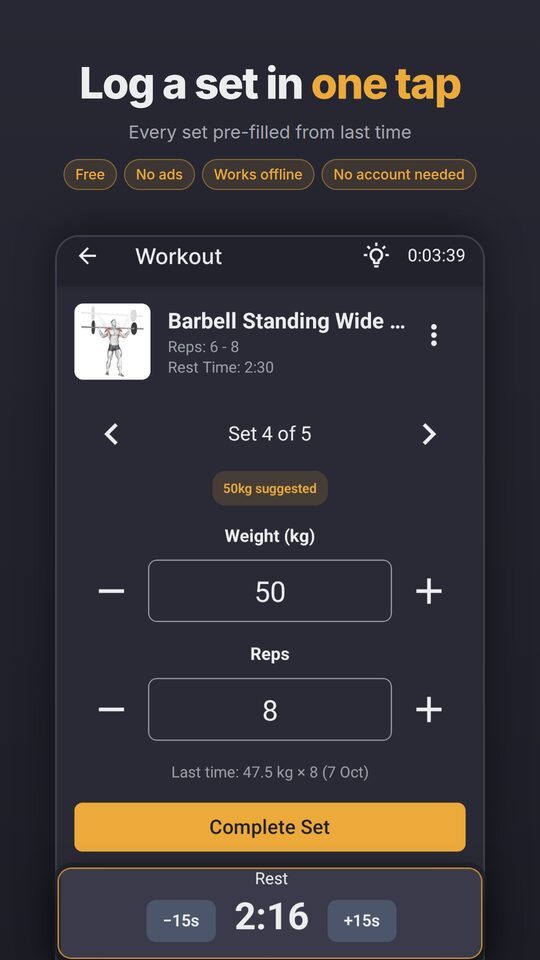
MuscleQuest is a workout tracker for people who train regularly and want the app to stay out of the way between sets. It has no ads, works without a connection and needs no account. Each set opens pre-filled from last time, so logging one usually takes a single tap, and a rest timer runs between sets.
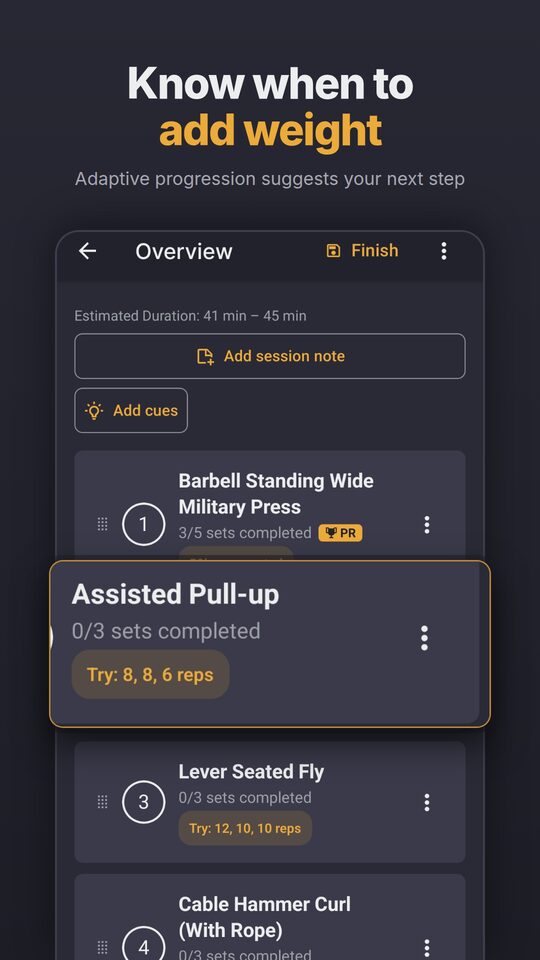
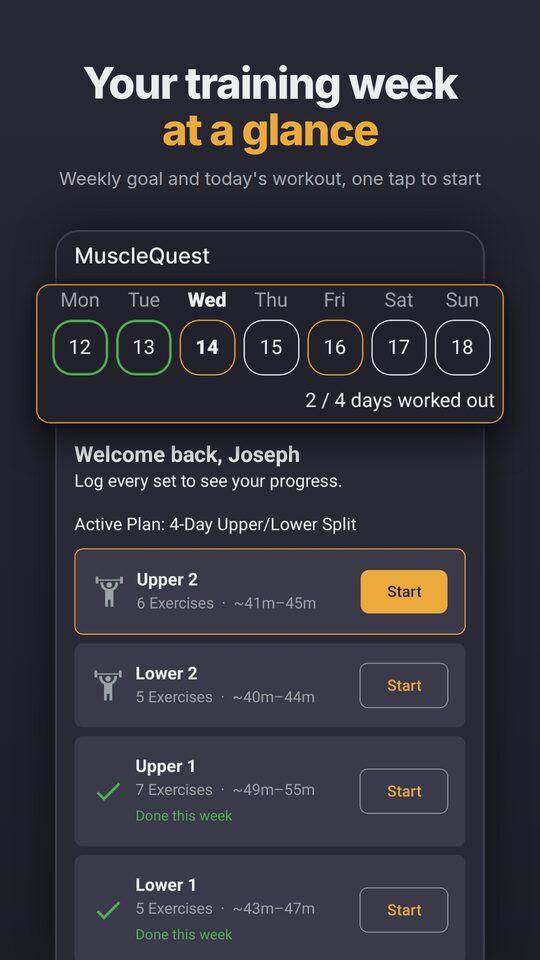
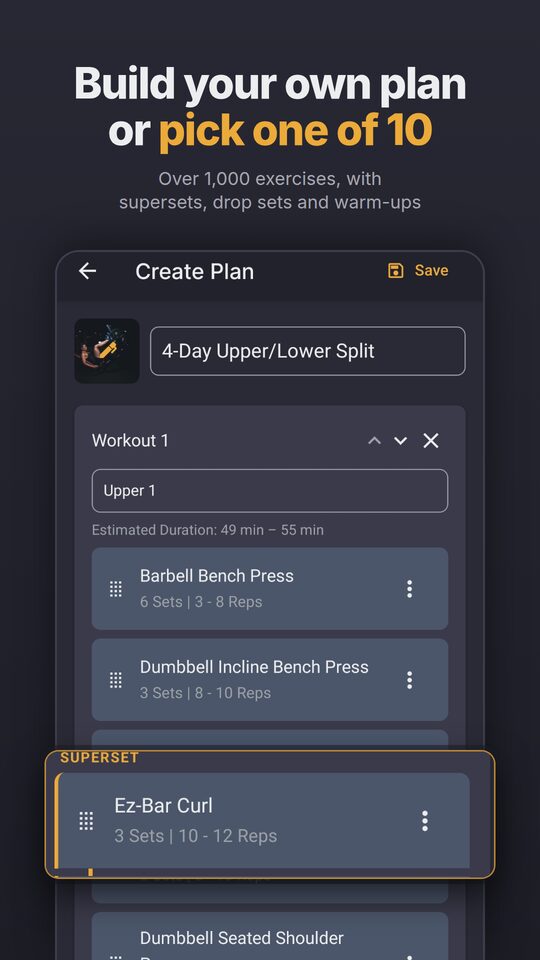
Training starts from one of ten premade plans or from the plan editor, which handles supersets, drop sets and warm-ups across a library of over 1,000 exercises with animated demonstrations. Adaptive progression then suggests the next step for each exercise from what the user actually lifted.
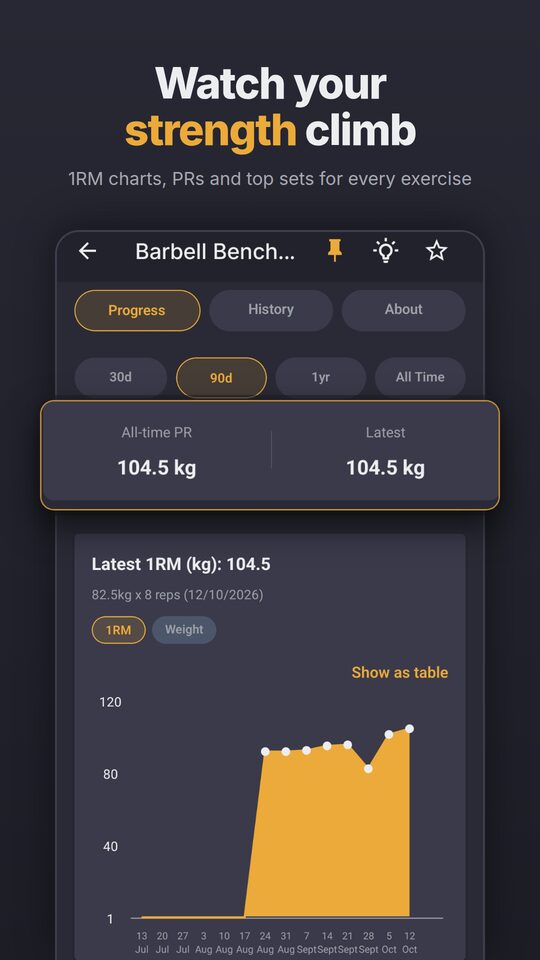
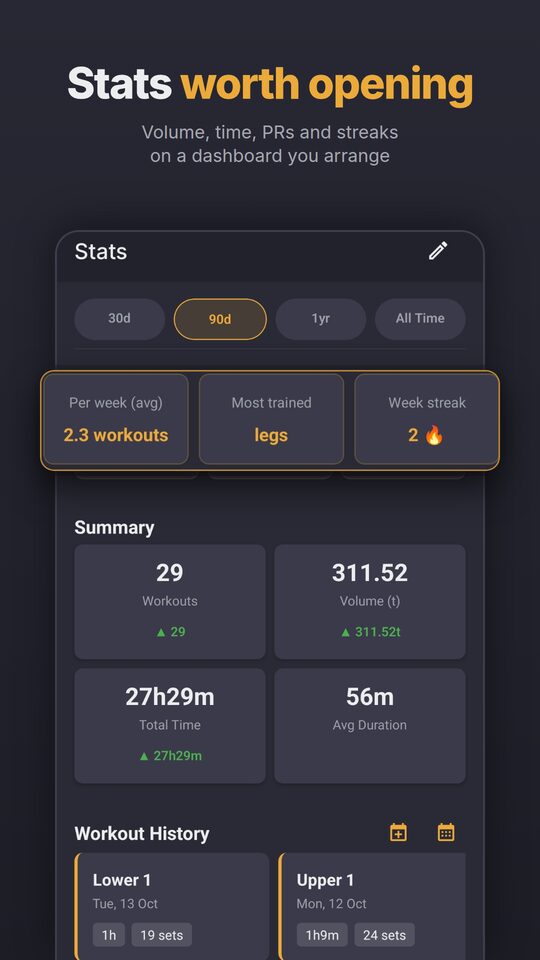
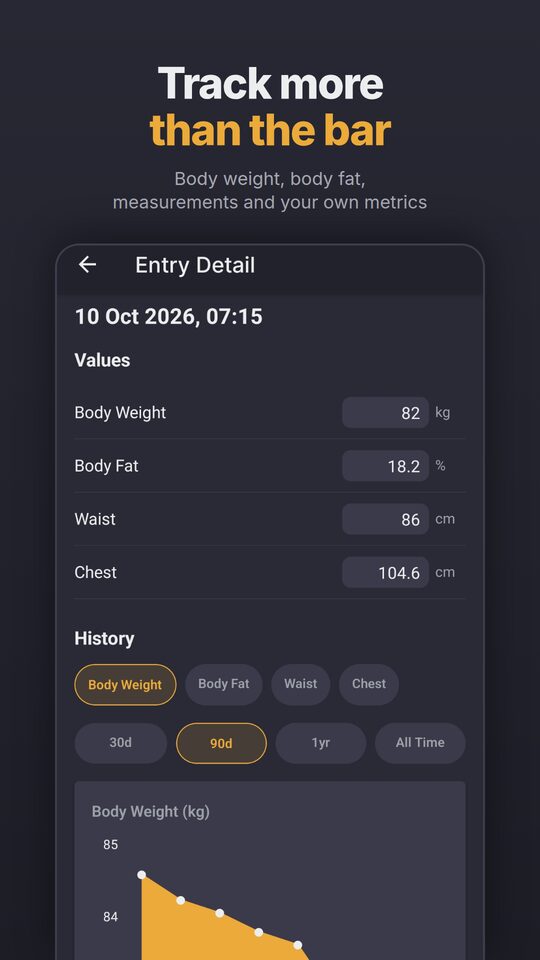
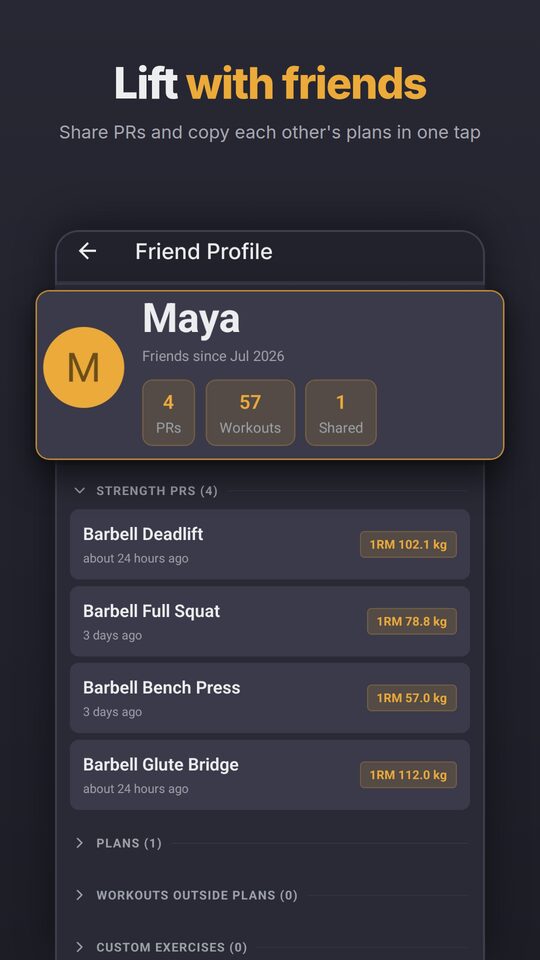
Progress has its own space: one-rep max charts, personal records and top sets per exercise, a stats dashboard users arrange themselves, and body weight, body fat, measurements and custom metrics over time. Signing in adds cloud backups and an opt-in social layer, where friends can compare records and copy each other's plans.
Most of the engineering follows from those promises. If the app must work in a gym with no signal, the device has to be the source of truth, schema upgrades have to be safe on phones I can never reach, and a workout has to survive the app being killed halfway through. The sections below cover the problems that turned out hardest.
Architecture
The device is the source of truth. Plans, history and everything else saved live in SQLite, and the app reads and writes them the same way with or without a connection. A workout in progress is kept in AsyncStorage so it survives the app being killed, and goes into SQLite when it is saved. The cloud is an optional layer on top: it holds backups and whatever the user explicitly chooses to share, and nothing syncs back into the local database except an import the user asked for.
TanStack Query handles every SQLite read and write, so screens stay in step through query invalidation rather than a global data store. Zustand holds the state that is not a query result, above all the workout in progress.
On the device
Screens
- Expo Router
- File-based navigation
- React Native Paper
- UI components and theming
State
- TanStack Query
- SQLite reads and writes, one-shot cloud reads
- Zustand
- Workout in progress, plan drafts, social state
Storage
- appData.db
- Read-only exercise library, shipped with the app
- userData.db
- Plans, history, settings, measurements
- AsyncStorage
- Workout in progress until saved, queued sharing writes
Optional, online
Cloud
- Supabase
- Sign-in, backups, friends and shared items
- Cloudflare R2
- Exercise animations
Offline-first SQLite with versioned migrations and backup restore
Two databases sit on the device: a read-only exercise library shipped with the app, and a user database holding everything the user owns. The user database has to open cleanly on every boot, including right after a backup from a much older version has been restored.
Migrations are numbered and tracked by SQLite's own schema version. Each one runs in a transaction with its version bump, so a failure leaves the database exactly where it was and the next boot tries again. The app can never ask a user to repair a half-upgraded schema, so that guarantee has to come from the code.
Restoring a backup is the riskiest moment in the app, because it replaces the only copy of the user's history. The download goes to a staging folder and is checked before anything is touched. The swap itself is journaled: a marker file is written before any file moves, so if the app is killed partway through, the next startup puts the originals back before any database opens. Opening first would create an empty database over the missing original.
The originals are then kept until the restored database has booted successfully, so a backup that fails to start can still be undone from the recovery screen.
utils/db/runMigrations.tsUpgrading a database on a user's phone, where a half-applied schema change can never be fixed by hand.
export const runMigrations = async (
  db: SQLiteDatabase,
  migrations: readonly Migration[] = allMigrations,
): Promise<number> => {
  let current = await getSchemaVersion(db);
  for (const migration of migrations) {
    if (migration.version <= current) continue;
    Bugsnag.leaveBreadcrumb("Running migration", {
      version: migration.version,
      name: migration.name,
    });
    await db.withExclusiveTransactionAsync(async (txn) => {
      await migration.up(txn);
      await txn.execAsync(`PRAGMA user_version = ${migration.version};`);
    });
    current = migration.version;
  }
  return current;
};
The timezone model
A workout has two different times: the instant it finished and the day it counts towards. A session on Monday evening in Auckland must stay on Monday after the user flies to London, or a streak breaks for no reason.
So both are stored. The UTC instant drives durations, ordering and clock times, and a local day key drives streaks, the calendar, weekly goals and chart buckets. The day key is stored rather than derived, so later travel or a daylight saving change cannot move it.
The instant has its own trap. SQLite's timestamps carry no offset, and a JavaScript date-time without one is read as local time, which silently shifts every value by the device's offset. All parsing goes through one function, and a lint rule rejects the direct version on those columns.
utils/dates.tsSQLite timestamps carry no offset, and the JS engine would read them as local time and shift them.
export function parseDbTimestamp(value: string): Date {
  if (typeof value !== "string") return new Date(NaN);
  const trimmed = value.trim();
  if (HAS_OFFSET.test(trimmed)) return new Date(trimmed);
  if (/^\d{4}-\d{2}-\d{2}$/.test(trimmed)) return new Date(trimmed);
  return new Date(trimmed.replace(" ", "T") + "Z");
}Adaptive progression
After an exercise the app asks how hard it was and whether anything hurt, and later checks in on recovery. A rules engine combines those answers with the reps actually completed and suggests the next step: add weight, add a rep, hold or reduce. It is deterministic and has no machine learning, so every suggestion comes with a plain explanation of why.
The rules are ordered by what matters most. Pain comes first and holds the load on the first report, reducing it only if pain comes back in a row. Discomfort never reduces load, failed sets get one warning before a reduction, and only then do performance and rep targets count.
The details are in the numbers. Increments are configured per equipment type, so a suggestion is a weight the user can actually load. After 14 days away from a muscle, the app suggests easing back in by 10%, rising to 20% at four weeks. Assisted exercises invert everything, because the logged weight is the help the machine gives, so getting stronger means the number goes down.
utils/progressionEngine.tsMaking a load easier when, on an assisted exercise, easier means a higher number.
export function computeReducedLoad(
  currentWeight: number,
  trackingType?: string,
): number {
  if (trackingType === "assisted") {
    const raised = Math.ceil((currentWeight * 1.05) / 0.5) * 0.5;
    return roundWeight(Math.max(raised, currentWeight + 0.5));
  }
  if (currentWeight <= 0) return 0;
  const reduced = currentWeight * 0.95;
  const rounded = Math.floor(reduced / 0.5) * 0.5;
  return roundWeight(Math.max(0, Math.min(rounded, currentWeight - 0.5)));
}i18n with Lingui in four languages
The app follows the device language in English, German, Spanish and French, across around 1,900 strings, with a voice guide and terms table so all four read like one product. Hermes has no Intl.PluralRules, so plurals depend on a polyfill loaded before anything else.
Stored data stays language neutral. Numbers keep a canonical format in the database and take the device's decimal separator only on screen, and library data such as muscle names is translated at display time. Weights are stored in kilograms and converted only at the edges of the UI.
Language also reaches further than text. A European keyboard types 62,5, so every decimal field has to accept a comma as well as a point, and one German end-to-end suite runs onboarding and a quick workout on a German device.
Turning mistakes into lint rules
A fix in one place does not stop the same mistake appearing somewhere else six months later. So when a bug comes from an easy-to-repeat pattern, the fix comes with an ESLint rule that rejects the pattern and points to the right helper.
A hand-written number sanitiser that keeps digits and points drops the comma a European keyboard types, turning 62,5 into 625. Copies of the unit conversion factors drifted apart until they were banned outside one module. Parsing a stored date directly shifts it by the device's time zone. An unwrapped Supabase call can stall on a bad connection, so a custom rule requires the wrapper that adds the deadline.
The rule below guards against a bug that came from the framework itself. After an SDK upgrade, typing 60 into an empty field on Android could save 0. React Native selected the text on the field's first layout, which for an empty field is the first keystroke, so the next digit replaced it.
eslint.config.jsStopping a framework quirk that silently saved the wrong weight from coming back.
const selectTextOnFocusRestriction = {
  selector:
    'JSXOpeningElement[name.name=/^(TextInput|BottomSheetTextInput)$/] > JSXAttribute[name.name="selectTextOnFocus"]',
  message:
    "Use AppTextInput from @/components/ui/AppTextInput (or DecimalInput) for selectTextOnFocus.",
};
From Firebase to Supabase
Version 2.0 replaces Firebase with Supabase: sign-in, backups, friends and sharing all move in one release. The reason is what comes next. Coaching needs a single backend with one identity for app users and trainers, and the move is cheapest while the number of signed-in accounts is still small. Firestore's rules depend on Firebase Auth, so sign-in could not move alone without a token bridge that would have cost more than moving everything.
Security moved from Firestore rules to row level security in Postgres, tested with pgTAP in CI. The publishable key ships in the app, so the rules have to hold on their own, and they cannot depend on the repository being private. Features that Firebase gave for free had to be rebuilt deliberately: live listeners became refetches on sign-in, on returning to the app, on pull to refresh and after a change, and Firestore's offline replay became the queue described above. A failed fetch resets only its own slice of state, and a passing outage keeps the cached copy.
The hard part is moving real users without a cutover moment. People update at their own pace, and old builds keep writing to Firebase in the meantime, so the migration script is a mirror rather than a one-off copy. It can run again and again, and each run makes Supabase match Firebase for every user who has not signed in on 2.0 yet, including deletions. Once someone signs in with the same Google account they are cut over, and the script never touches their data again.
Old builds also need a controlled ending. An over-the-air update adds a minimum supported version check to the store versions still in use, each published from that version's own code. When the minimum is raised, those builds show an update screen, and it waits until a workout in progress has been saved. Only after a final migration run does Firebase get switched off.
One trap is worth remembering. Google registers each package name and signing key pair in one Cloud project only, so the OAuth clients have to stay in the old Firebase project. Deleting that project would break Google sign-in in every build, so the Firebase resources go and the empty project stays.
The code is finished and the migration has been rehearsed against real Firebase data with no failures. Publishing the release and running the migration are the last steps.
utils/supabase/call.tsA one-shot request can stall on a bad connection, and it must always settle.
export const supabaseCall = async <T>(
  label: string,
  build: (signal: AbortSignal) => PromiseLike<T>,
  timeoutMs: number = DEFAULT_CALL_TIMEOUT_MS,
): Promise<T> => {
  const controller = new AbortController();
  try {
    return await withTimeout(build(controller.signal), timeoutMs, label);
  } catch (error) {
    if (error instanceof TimeoutError) controller.abort();
    throw error;
  }
};
Testing
Jest covers the stores, the data layer and the hooks across 374 test files, with coverage floors per directory that only move up. Because so much of the app depends on which day something happened, CI runs the suite again under Auckland, Kathmandu, London and Los Angeles.
Database policies have their own pgTAP tests against a local Supabase stack, so access rules are checked rather than assumed, and CI fails if the generated database types drift from the migrations.
Maestro flows drive a release build on an Android emulator before a release. They cover what unit tests cannot see: a rest that ends with the app in the background and must still notify, a quick workout that survives the app being killed, and a workout left in progress on an old build that resumes after a new one is installed over it.
What's next
Next is coaching, which brings the project back to where it started: my work as a trainer. A trainer gets a web app to invite clients, build and assign plans from the same exercise library, review what clients actually did and correct it where needed. A client enters an invite code in the app, agrees to what will be shared and from then on trains on plans marked as coming from their trainer.
The offline promise stays. Sessions are recorded on the phone, as they are today, and go to the trainer through a queue that survives restarts and syncs when a connection is back, after a workout is saved or on demand. Every table is separated per organisation, with access rules tested in CI, so a trainer never sees another organisation's clients.
Nothing changes for someone training alone. Every existing feature stays, and a solo user's training data never leaves the phone except for backups and what they choose to share with friends. Coaching also brings the first iOS release, so clients with iPhones can be coached too.
Screenshots